
Navigation
Neue Forenbeiträge
Newsfeeds

Linux - ubuntu
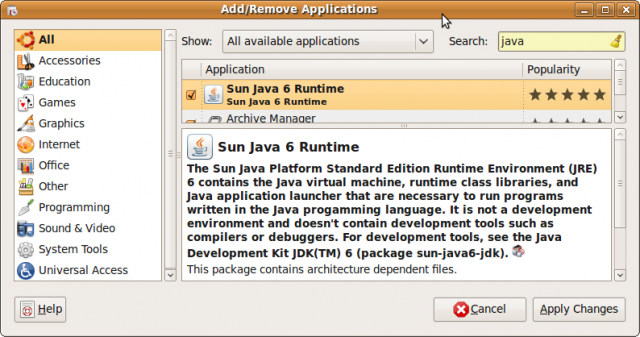
If Java not installed, go to Application / Add. Enter Java in Search. Now you have the choice between OpenJava and SunJava. BT747 works with both of them. A driver is not needed, its included in the Linux-kernel used by ubuntu. In the last step, you get BT747 to your comptuer. Go to the webinstall-page and try or install BT747. Or if you like to have all files on your local computer, go to the BT747-Sourceforge-page and download the current stable version. Unzip the content and run the desktop-version by clicking on „run_j2se.sh“ The correct port should be detected automaticaly by using "USB (for Linux, Mac)" - please connect and turn on the logger before you start BT747. For 64 bit, the same procedure should work because the startup script is improved and RXTX2.2pre binaries are joined.
- Druckversion
- Anmelden um Kommentare zu schreiben
Kommentare
Note for OpenSuse 11.2 and Ubuntu 10.04 with connection problems
Hi,
for people with OpenSuse or Ubuntu having problems connecting to the logger:
the rxtx libraries need write access to /var/lock , to solve this add your user to the uucp group and change the group ownership of the /var/lock directory:
sudo nano /etc/group
#search for uucp and append your username to this line
sudo chgrp -R uucp /var/lock
log out of your X-Session and log in again (or just reboot). Now you should be able to connect providing the tty you see in dmesg (e.g. /dev/ttyACM0).
dmesg | grep tty
HTH,
Changes in opensuse 12.1
Hi,
Opensuse changed the ownership of /var/lock to the group lock in OpenSuse 12.1.
So to make things work again just follow the instructions above - but add your username in /etc/group after the group lock.
To be more generic (for other distributions) just check with
ls -ld /var/lock
the group ownership of this directory and add your user to that group.
Thank you for the update.
Thank you for the update.